Rhythm
Gaps between keys depend on the pair: same finger is slower, alternating hands are faster. Tempo drifts, and it pauses to think at the end of a clause or sentence.
Typebreezy types into Google Docs one key at a time, with a human rhythm, typos that get fixed, and breaks between sittings.
Get Typebreezy →Chrome extension • Runs in your browser • From $8
Built for Google Docs.
Everything runs on your own computer.
Gaps between keys depend on the pair: same finger is slower, alternating hands are faster. Tempo drifts, and it pauses to think at the end of a clause or sentence.
A neighbouring key, two letters swapped, a skipped or doubled letter, a missed shift. Each is caught at once or a few letters later, then backspaced and retyped.
It starts a word with other wording and deletes it, scraps the last few words, or goes back to an earlier phrase, tries another word and returns.
Pick a total time and the text is split into uneven sittings that end on a sentence, with uneven breaks between them.
Right-skewed gaps that change with the two keys involved, a slow tempo drift, and a hold time that varies from key to key.
One slip makes another more likely for the next few letters, and slips are more common while the tempo is fast.
Some mistakes are left in the Doc and corrected later: at the end of the paragraph, or in one pass at the very end.
Change style, speed, typos, rewrites or the finish time while it types. The change applies on the next key.
Chrome slows timers in tabs you cannot see, so waits are handed to the background worker when the Doc is hidden.
APA and MLA research papers and a simple report, formatted with Docs shortcuts and menus as the text is typed.
Slow, hardly any slips
Everyday pace, some typos
Fast, more typos
Lots of rewriting
Words a minute is the raw key speed. Pauses and corrections make the effective speed lower, the way they do for a person.
See pricing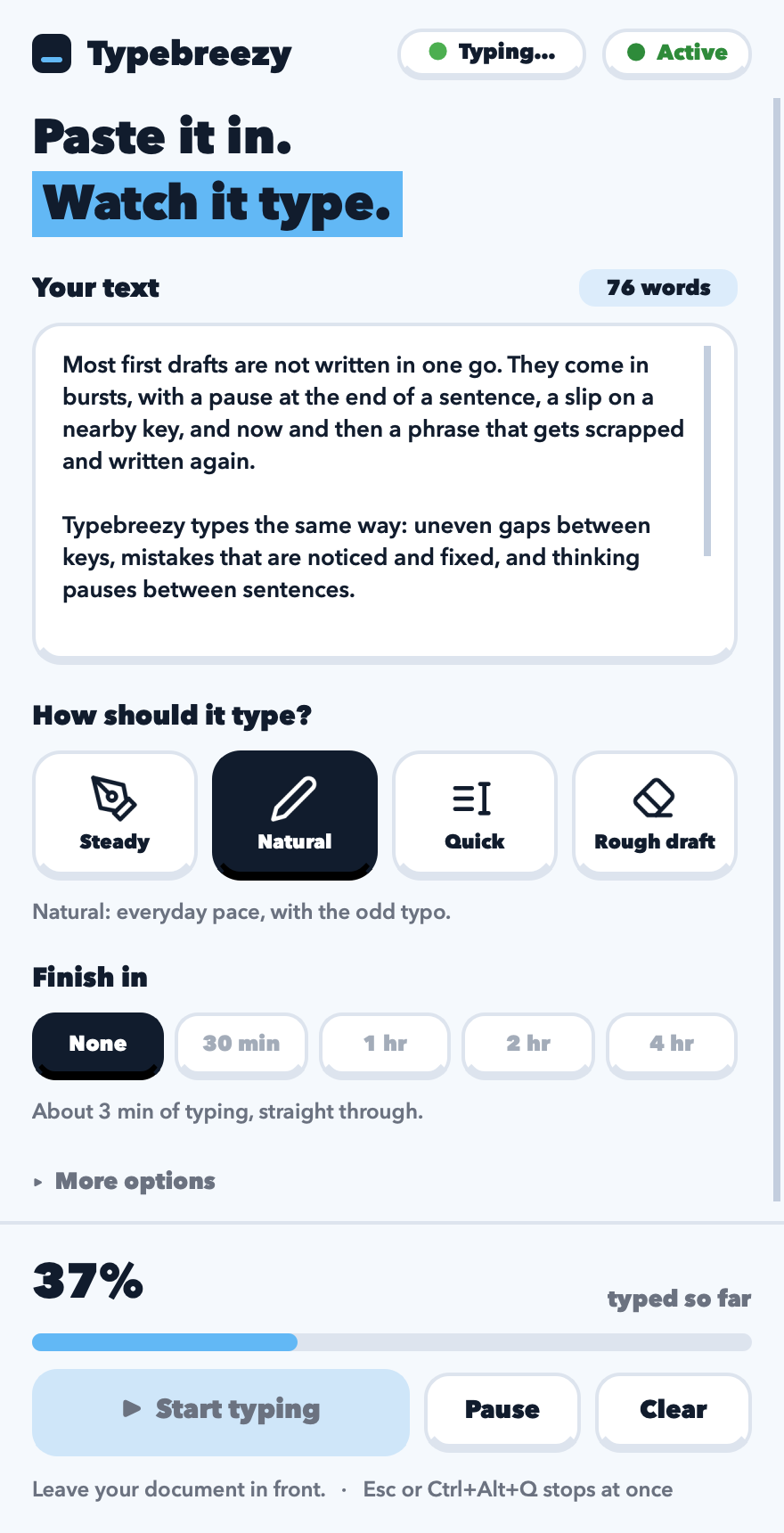
The four typing styles, typos, rewrites and Finish-in breaks work the way they do in the extension. Page layouts are the one thing that stays in Google Docs.
Press Start typing, click into your document within five seconds, and it types there. For macOS and Windows.
Esc or Ctrl+Alt+Q stops it from any window. Coming back to the app mid-run pauses it.
Longest finish time. Spread a run over anything from 30 minutes to 4 hours, in sittings with breaks between them.
Kinds of typo: neighbouring key, swapped pair, skipped letter, doubled letter and missed shift. Whole words get misspelt too.
Of your text, unchanged. Every slip and rewrite is corrected, so the final Doc always equals what you pasted.
A Chrome extension for Google Docs. You paste text into its floating panel, pick a typing style, a layout and a finish time, and it types the text into the Doc key by key with a human rhythm, typos, rewrites and breaks.
Yes. Typos and rewrites happen along the way, but each one is corrected, and a run only counts as finished once every left-in typo has been fixed. The final text always equals the text you gave it.
No. The extension has no server and makes no network requests of its own. It only runs on Google Docs document pages, and it keeps your text and settings in Chrome's local extension storage.
Yes, the Doc tab has to stay open until the run is done. It does not have to stay in front: when the tab is hidden, timing is handed to the background worker. Your computer is kept awake during a run and released on pause, reset or completion.
Style, speed, typos, rewrites and the finish time can all be changed mid-run and apply on the next key. The text and the layout are locked once a run starts.
Research paper (APA), research paper (MLA) and a simple report. For APA and MLA it also sets the page number, Times New Roman, size 12, double spacing and the hanging indent for references. The page setup steps need Google Docs in English.
Pick a plan and check out with Stripe. You get the download straight away, then load it into Chrome from chrome://extensions with Developer mode on. The guide has the steps.
Paste your text, pick a style and a finish time, and press Start typing. Setup takes about a minute.
Get Typebreezy → Chrome on desktop • Google Docs • Checkout by Stripe